
Refactor like a Pro: Part I - Essential Refactoring Tools and Techniques
How to refactor your code without breaking it in the process

Without the right techniques and tools, refactoring can become a nightmare. Code that does not compile for a long time, failing tests after we finally made it compile again, and bugs after we deploy the refactored code to production.
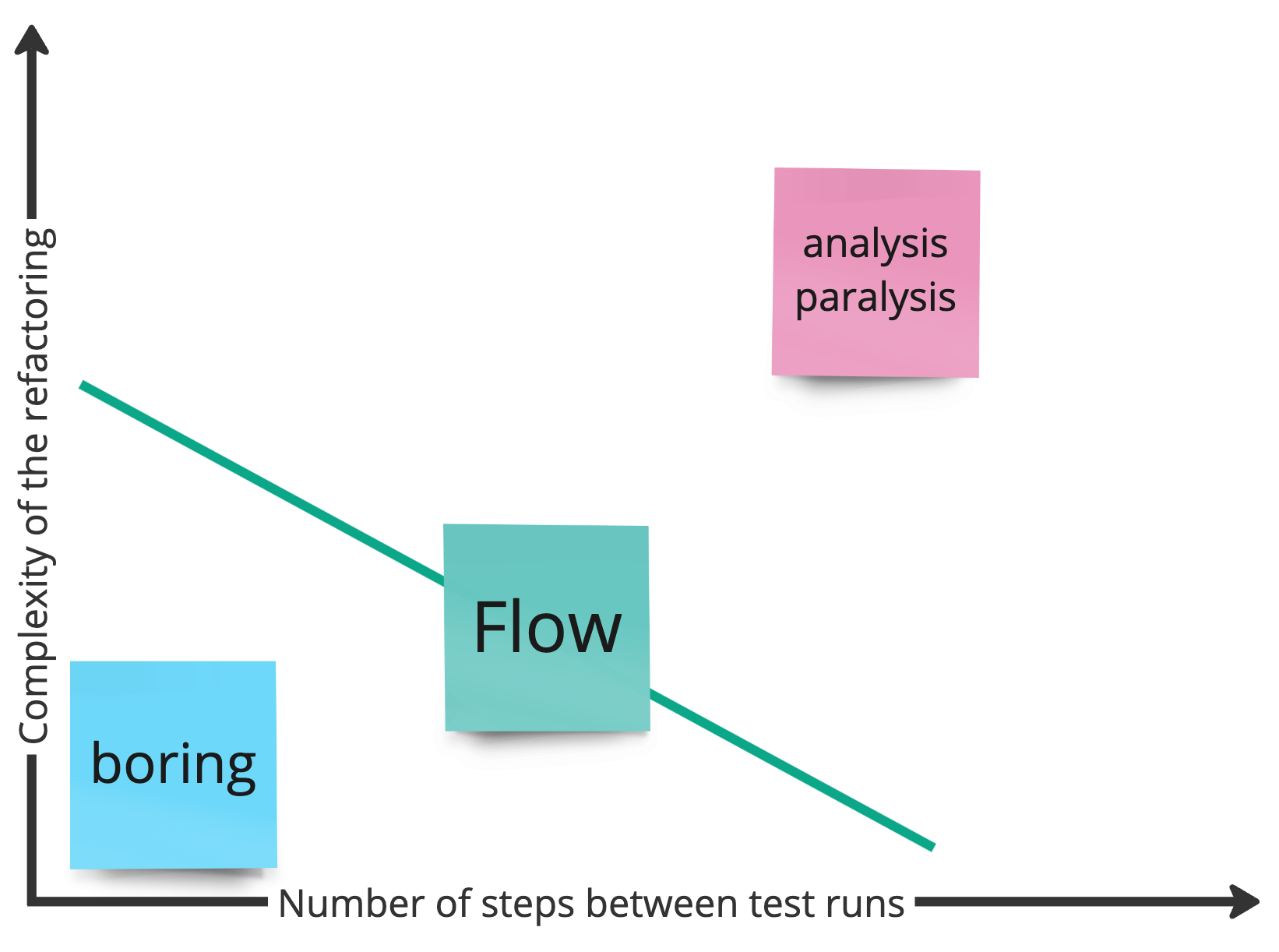
We may end up in analysis paralysis trying to figure out where our refactoring went wrong. In the worst case, we may need to revert weeks of changes because the codebase diverged so much.
It does not have to be that way. In this article, I want to demonstrate to you how adapt your way of thinking about refactoring and how to keep your code always in a compiling state with only little chance of introducing unwanted behaviours, using only 5 automated refactoring tools to do so.
Refactor in Baby-Steps
Your mindset should be that you only refactor one small thing, run your tests, and then commit. The more complex the refactoring goal, the smaller your step should be.
The goal is to always try to stay in a state of flow. If you notice that the [refactor step - test - commit] cycle becomes boring, you may add some additional steps before running tests again and committing.
On the other hand, if you refactor too much at once and end up with code that does not compile anymore or with failing tests, revert to the last state where all the tests passed and reduce the number of refactoring steps before you run the tests again and commit.
No Tests - No Refactoring!
Before I show you how to apply the essential refactoring tools, I want to make clear that I assume that we have a strong and fast test suite in place, ideally unit tests, before we start refactoring. Else, we never know if we break something. If your code has no tests yet, you first need to create them. In a later article I will show you how to do that so stay tuned.
The 5 Essential Automated Refactoring Tools
There are only five automated refactoring tools your IDE needs to support to refactor effectively, which are:
Rename
The most powerful refactoring in our toolbox. Giving our variables, methods, or classes more expressive, context- and domain-specific names may already be enough to turn a completely unmaintainable piece of code into something easier to work with if we know the business domain this code is applied in.


Extract Variable
An essential tool in the refactoring toolbox is “extract variable”. It allows us to split a complex line of expressions, like those we may find in large and hard to understand if-statements, into smaller, more cohesive parts and give them domain-specific names. It is also often the prerequisite to split parts of the logic into smaller, cohesive modules, which is why it plays well with the next refactoring technique.

Extract Method
One of the most powerful refactoring techniques is “extract method/function”. In combination with extract variable, we can wrap small cohesive parts of the overall logic into methods with expressive, context-specific names.

Inline
Inlining means copy-pasting the content of a variable, method, or other form of module where this variable or method was used before. If it was used in multiple places, it may create duplications. It’s the inverse of extract variable or extract method. It is an essential tool especially in code with suboptimal abstractions, so that we can easily start out with a green slate and refactor towards a more maintainable solution.

Some IDEs like VSCode lack “inline” capabilities. However, it is absolutely essential to be able to try out different refactoring options quickly. I would always opt for an IDE like IntelliJ or Eclipse that supports “inline” out of the box.
Move
Extracting methods is not enough to improve the overall design. We also need to be able to split a long class or file into more cohesive parts and move parts to other files or classes. This is why it is extremely helpful if our IDE can automatically move methods to other classes. Although it can be done manually rather easily compared to extract variable/method or inline, I would still opt for an IDE that takes over most of the work as it’s just faster and safer to do so.
Lastly, an IDE should be able to create code automatically. For example, if we declare a new class using new, a simple shortcut should allow us to create that class in a few simple steps. Doing it automatically reduces the time spent and error probability a lot.
Shortcuts
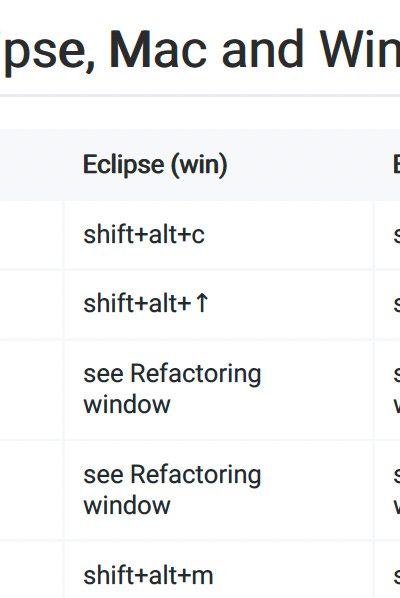
To get you started more easily, I have compiled a list of all shortcuts for Mac and Windows for both Jetbrains (IntelliJ) and Eclipse so that you don’t have to figure them out all by yourself. You can download it as PDF here:
Conclusion
Refactoring is a continuous process that we should be doing all the time while we develop software, not only in one big “refactoring story”.
To do so, we need to work in baby steps and commit after every green run of our tests. Without tests, we always run the risk of introducing bugs, so we need to ensure that we have a strong test suite.
There are 5 essential refactoring tools our IDE needs to support besides code generation - rename, extract variable, extract method, inline, and move.
Now that we know the essential tools for refactoring, we also need to know how to apply them effectively. I will dive into this in some of the next articles, so stay tuned!
If you want to test it yourself, you can find the code examples used in the video and post in the following repository (solution with steps on branch refactoring_basics).
Do you have any questions or remarks on the topic of refactoring code? Write a comment and we can discuss it further!
If you like content like that, don’t forget to subscribe to stay up to date!
Want to learn how to write evolvable code? Visit our website www.codeartify.com and get in touch with us! We provide worldwide remote and on-site workshops for you and your team!
Want to know the importance of a rich domain model? Check out our comprehensive O’Reilly course on Domain-Driven Design, Clean Architecture, EventStorming, and TDD!